


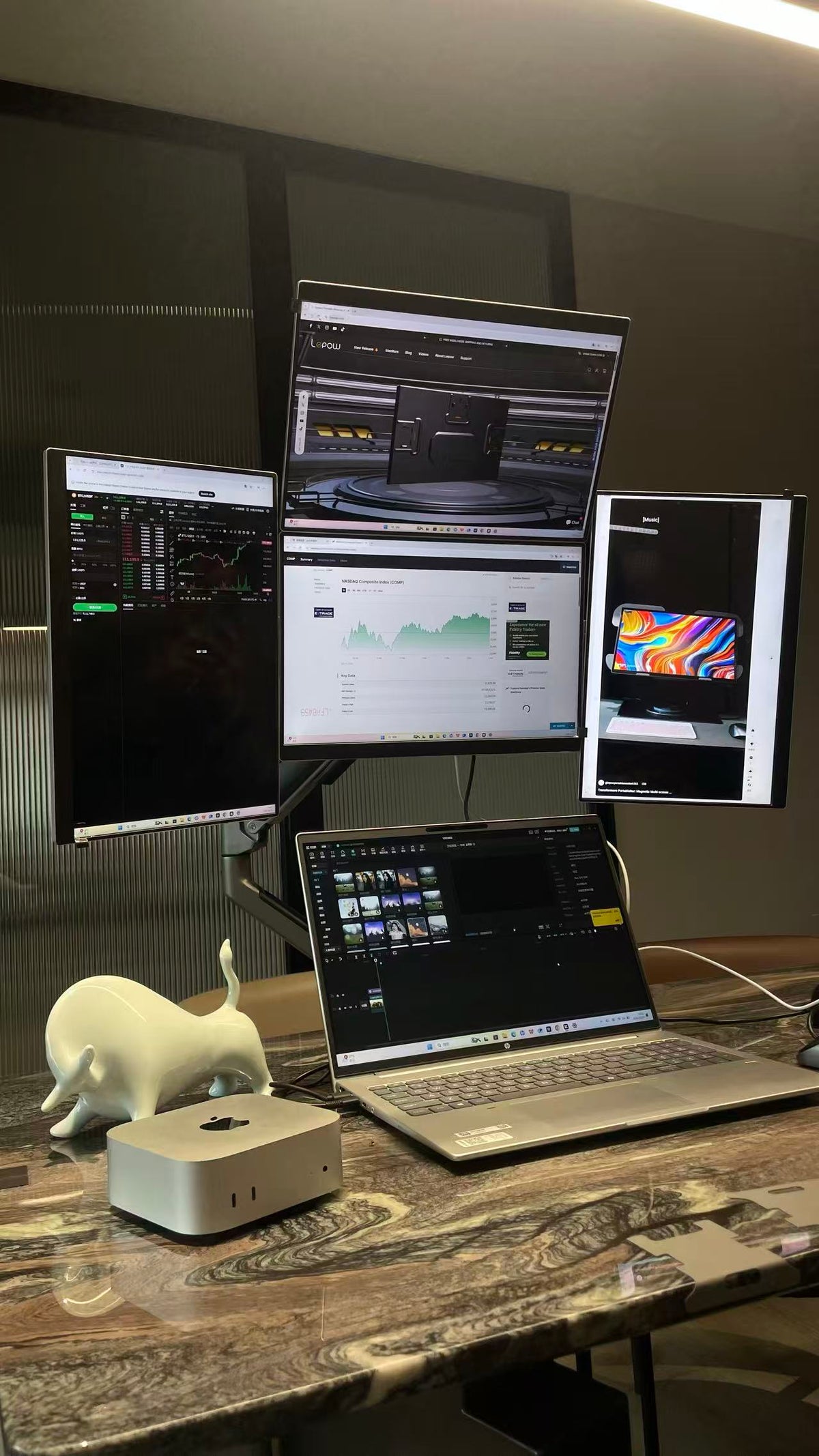
Lepow Modular 4-Screen Portable Monitor
Quick Start & User Guide 2025 Edition
🎥 Watch the installation and driver setup video
📦 What’s in the Box
- 4 × 18.5" Modular Screens
- 2 × Magnetic Connectors
- 1 × 65W Power Adapter
- 2 × Type-C to Type-C Cables for signal and power
- 1 × Type-C to USB-A Cable for additional power
- 1 × Adjustable Stand + Screw Set
- 1 × User Manual
⚙️ Setup & Connection
- Connect the 65W Power Adapter to the monitor’s Type-C power port.
- Use the Type-C to Type-C cable to connect your laptop or PC. Please make sure your device supports video output.

Detailed view: correct cable connection for power and signal
- For a multi-screen setup, connect the displays using the magnetic connectors until they are firmly attached.
- Always turn off the power before adjusting or removing the magnetic connectors.
💡 Tip: If the screen flickers or goes black, please use the original 65W adapter and check that all cables and magnetic connectors are firmly attached.

Magnetic connector operation example
Standard stand setup example video

Product setup example

Example: connected modular 4-screen workspace

Example: modular connection and stand setup
🧩 Driver Download
Please download and install the correct driver for your device before using the multi-screen setup.
🪟
Windows Driver
Download RacerDisplayDriver for Windows
💻
Surface ARM Driver
For Microsoft Surface and ARM-based Windows devices
🍎
macOS Driver
Download RacerUSB 1.0 Installer for macOS
🧠 If you previously downloaded an older driver, please install the latest version above for better compatibility and performance.

Example: driver installation interface for USB Display
For macOS Users
- After installation, please enable Screen Recording permissions for the driver.
- Go to System Settings → Privacy & Security → Screen Recording, then enable “USB Display”.
- No internet connection is required and no data is collected.
📺 Additional setup reference video
🖥 APP Display Control
Once the driver is installed, open the USB Display App on your computer. You can identify and adjust the 1 to 4 screen layout easily.
- Use “Group 1” and “Group 2” to combine screens horizontally or vertically.
- Click “Merge” or “Change” to apply the configuration.
- If the layout is incorrect, click “Reset” to restore the default settings.
💻 System Display Settings
- Windows: Settings → System → Display → Extend these displays.
- macOS: System Settings → Displays → Arrange, then drag screens into position.
⚠️ Safety Notes
- Do not hot-swap connectors while powered on.
- Use only the original Lepow power adapter and cables.
- Keep connectors clean and avoid bending the joints.
📞 Support
- 🌐 https://ilepow.com
- 📧 support@ilepow.com
- 💬 WhatsApp: +852 5791 7132
Share:
How to Set Up and Use Your Lepow Tri-Fold Portable Monitor (Triple Screen) – Full User Guide, Driver Download, and Troubleshooting
Lepow 16" Triple Monitor Gen 2 Setup Guide